Level: Easy Adding people to favourites allows you to browse their posts, uninterrupted by random gubbins! It’s a great way to engage with the people you really want to connect with. – Add to favourites It’s that simple! – View posts by your favourites only! Cool right! Add or remove favourites
Level: Easy
Adding people to favourites allows you to browse their posts, uninterrupted by random gubbins!
It’s a great way to engage with the people you really want to connect with.
–
Add to favourites
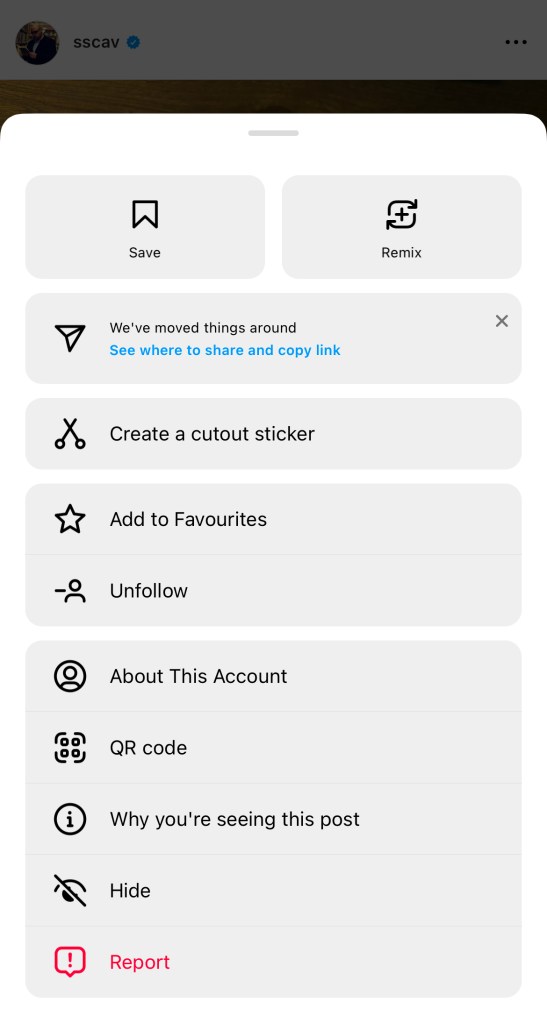
1 – if you come across a post by someone you want to favourite, tap the ellipsis (…) at the top right.2 – Select “Add to favourites” from the list3 – you can tell they’re a favourite by the orange star in the top right corner
It’s that simple!
–
View posts by your favourites only!
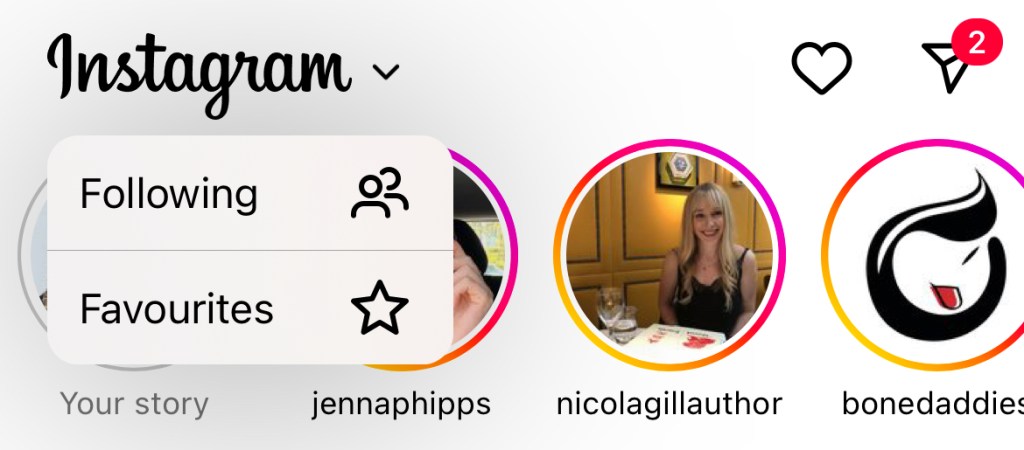
1 – from the home page, tap the Instagram logo. You can see the downward arrow. Select “Favourites“2 – under this filter, as you scroll you’ll only see recent posts from your Favourite people
Cool right!
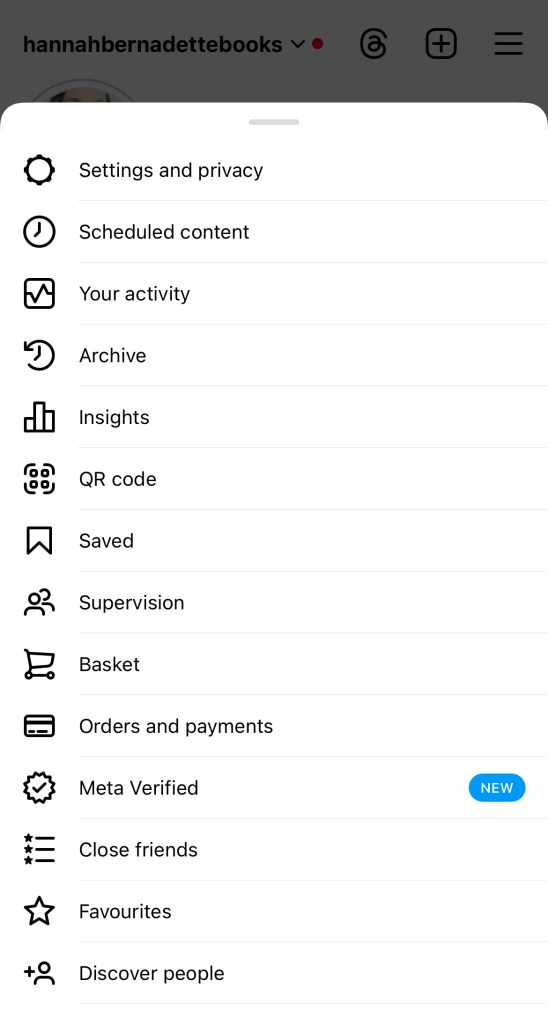
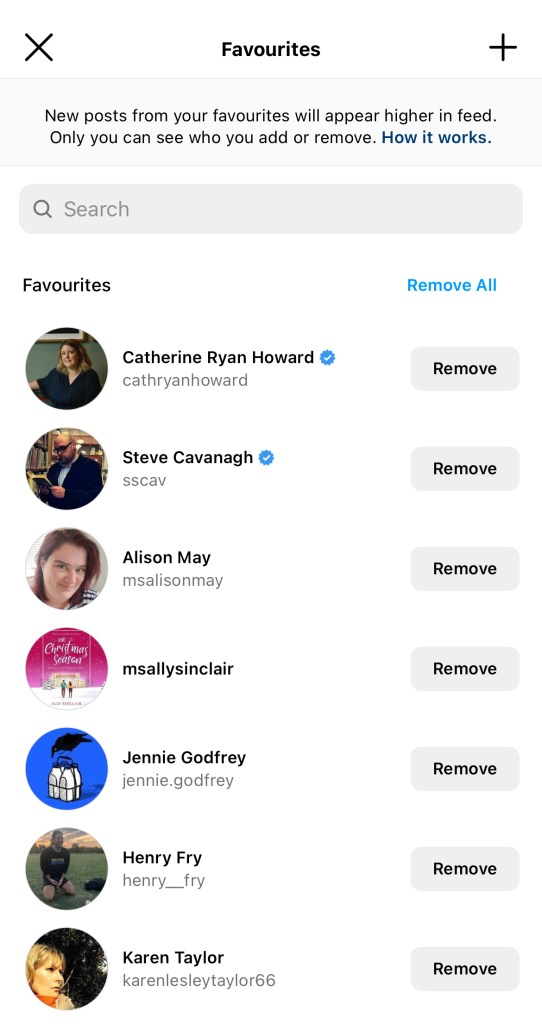
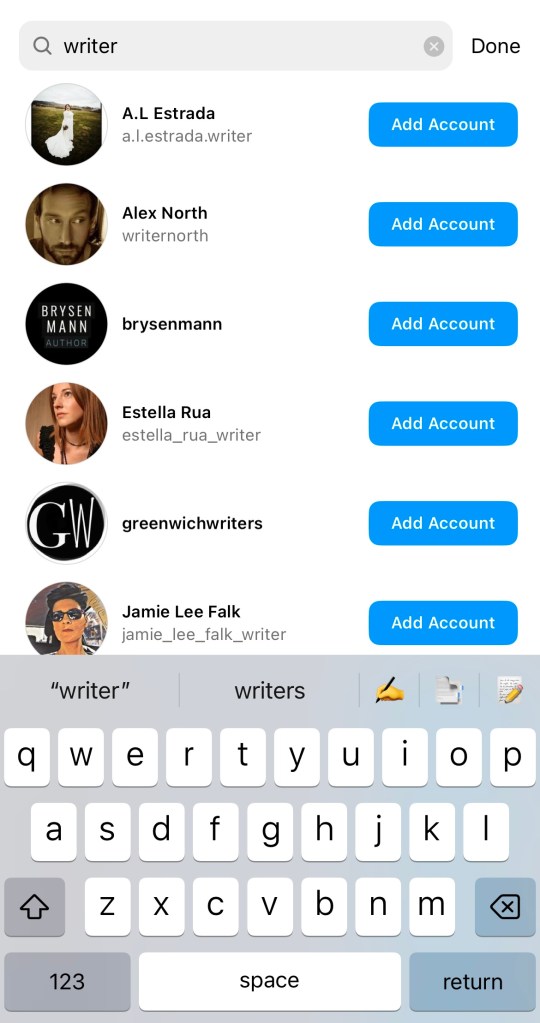
Add or remove favourites
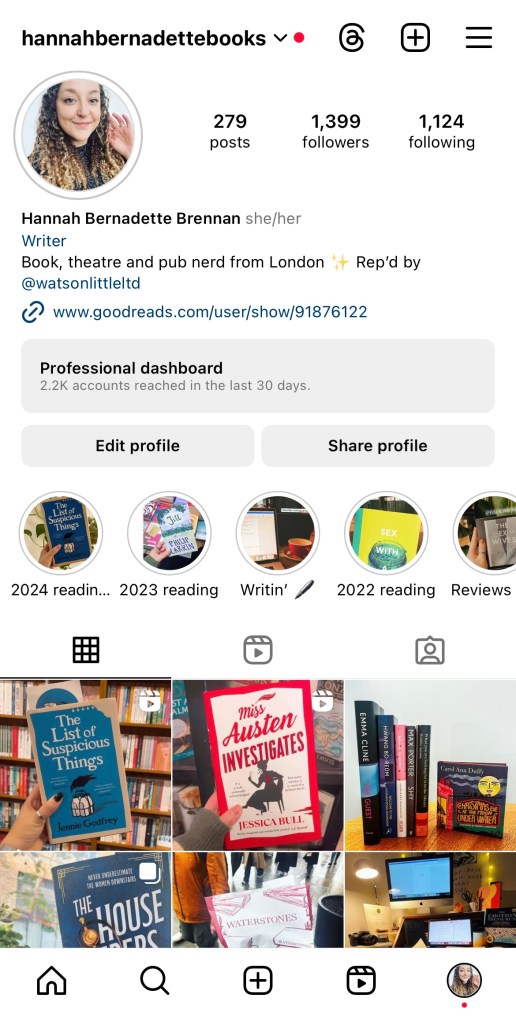
1 – go to your profile and select the hamburger menu (three lines) in the top right.2 – From the list, select “Favourites” near the bottom.3 – you can view your favourites and remove/add from this screen4 – search for people or scroll through to add new favourites




 Hannah Brennan
Leave a comment